How to View an Agent's Version
These instructions will guide you through the process of viewing the version of an agent on your computer. By following these steps, you will be able to identify the version of the ITSP on your computer.
Step by step
Step 1
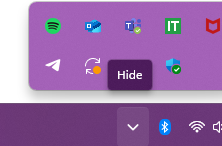
Go to the task tray icon.
Step 2
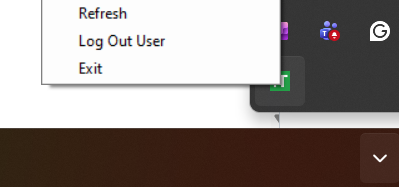
Right-click on the icon.
Step 3
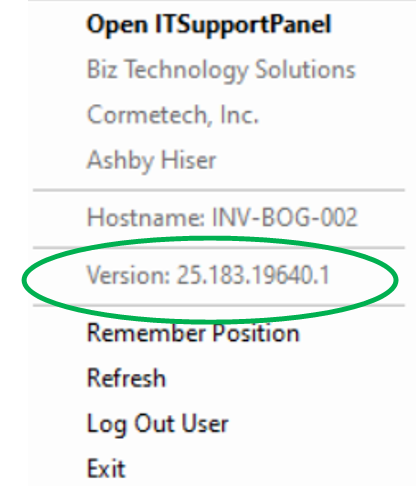
Look for the section labeled "Version."
The version of ITSP in your computer will be displayed here
Was this article helpful?
That’s Great!
Thank you for your feedback
Sorry! We couldn't be helpful
Thank you for your feedback
Feedback sent
We appreciate your effort and will try to fix the article