Check Agent Last Connection
This workflow helps you check when each agent last connected and estimate the total number of agents in your system. By following these steps, you can organize agents by their last sync date and calculate the overall count easily.
Step 1
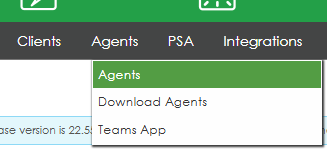
Click on Agents >> Agents.
Step 2
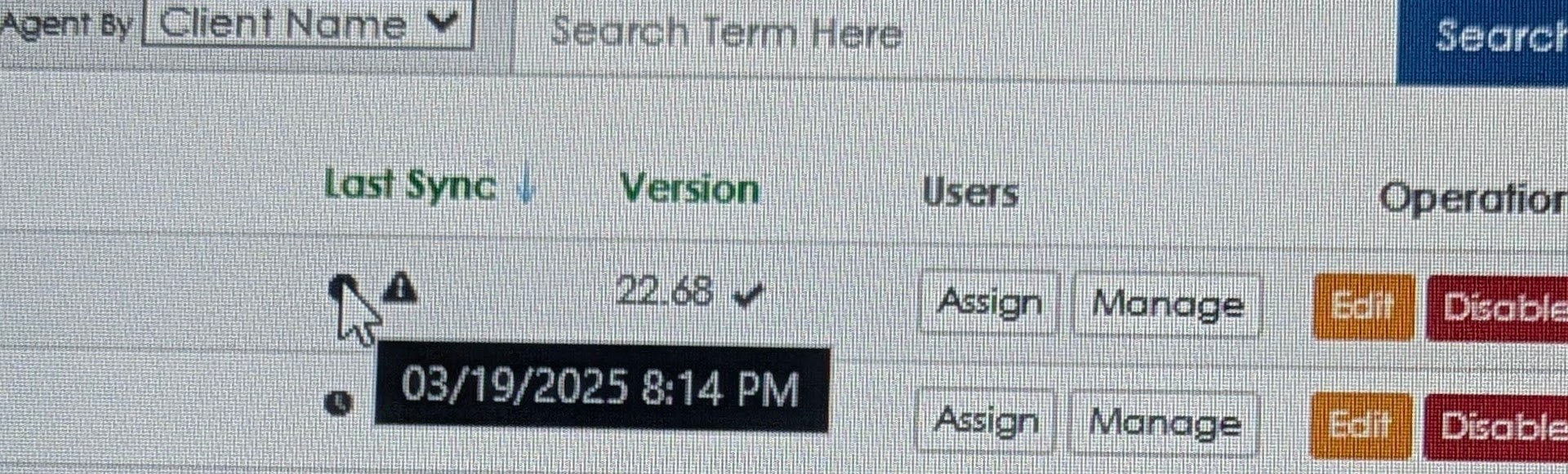
Click once on Last Sync to sort the agents by their last connection date

Step 3
Hover your mouse over the clock icon next to each agent to see the exact date and time of their last login.
Step 4
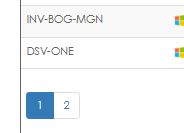
To estimate the total number of agents, count the number of pages and multiply by 20 (each page contains 20 agent entries).
To calculate the total number of agents:
Count all the pages except the last one and multiply that number by 20 (each full page contains 20 agents).
Then, count the agents on the last page and add that number to your previous total.
Example: If you have 21 pages, multiply 20 × 20 = 400, then add the agents on the last page (e.g., 10). Total = 410 agents.
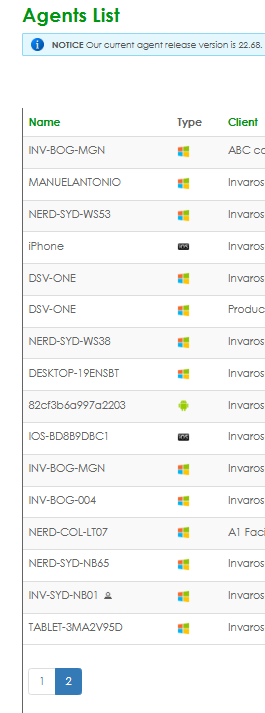
In the example shown in the screenshot, one full page (20 agents) and a second page with 16 agents equals 36 agents in total.
Was this article helpful?
That’s Great!
Thank you for your feedback
Sorry! We couldn't be helpful
Thank you for your feedback
Feedback sent
We appreciate your effort and will try to fix the article